m-LUMBER
https://magnacad.com/shop/mag-lumber
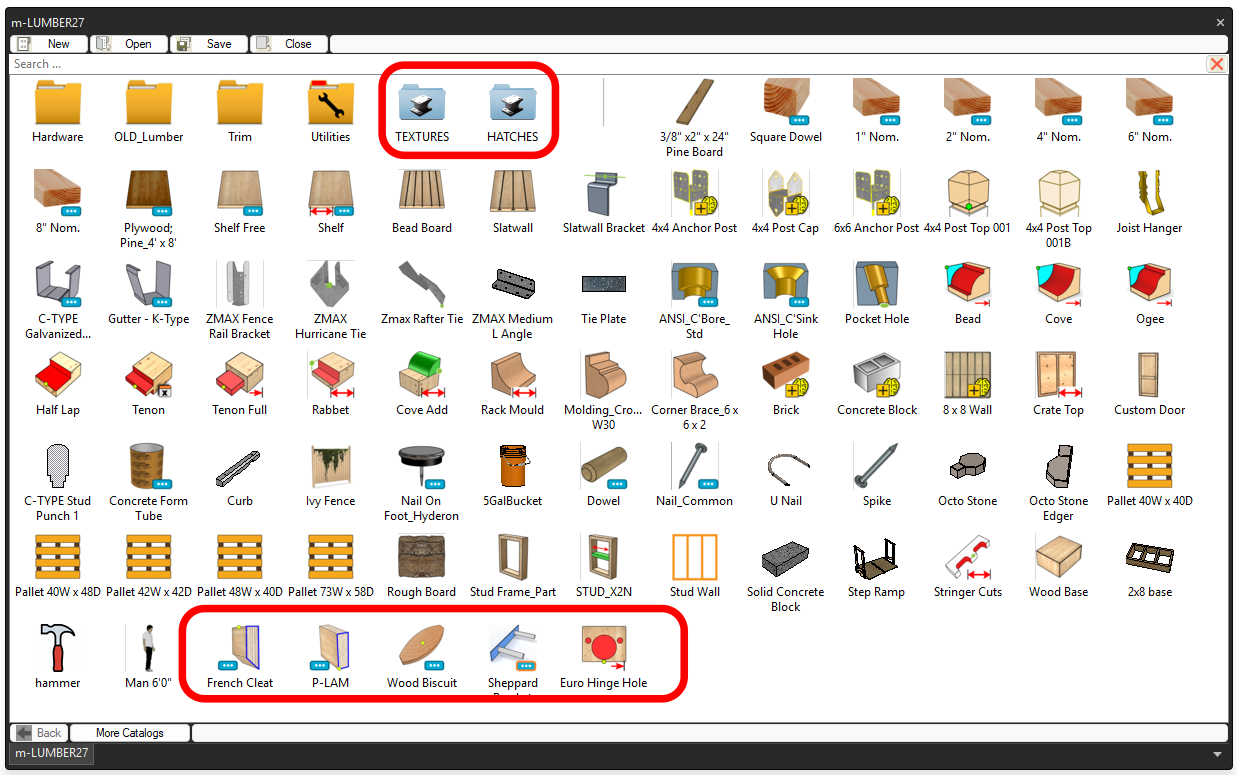
An IronCAD catalog exclusively developed by Magnacad, LLC with a varied collection of common wood products and ancillary components for carpentry and construction. Many components use variant models, parameters and more advanced functionality.
|
Icon |
Description |
IronCAD-Mechanical Users |
|
|
|
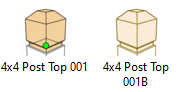
Basic top of 4 x4 post adornment. Simply drag onto the center point of 4x4 top face. This drops the required Intellishapes for editing if desired. Alternately also included is a BREP version that allows for faster speed thru the combination of Intellishapes. This version also is used if you do not wish to make any post modifications and ensures proper placement. |
|
|
|
|
Sheet metal part of a ZMAX Rafter Tie. Hole locations may not be accurate but provide a visual cue. Web hook has been added to open vendor site. |
|
|
|
|
Simple model of a temporary curb. |
|
|
|
|
Sheetmetal designed “ZMAX Fence Rail Bracket” to accurate specifications |
Web hook added to product site. |
|
|
|
12-gauge metal bracket, 2 x 2 x 6 |
Web hook added to product site. |
|
|
|
|
Web hook added to product site. |
|
|
|
Typical 5-gallon bucket or homer bucket model. |
|
|
|
|
Simple part to mimic a U Nail. |
|
|
|
|
1” Nom. thru 8” Nom.
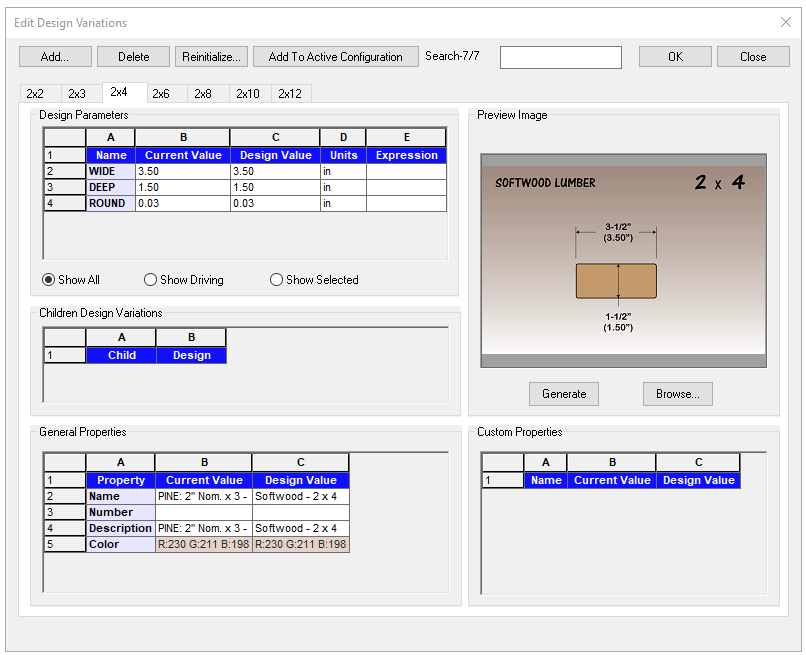
These building materials are design variations that have common size variations that pop-up upon dropping into the scene. Also you can click on the image to preview larger. Right-click on part to select a different variation by choose "Design variations" option
There is a URL link also assigned to the parts to take you to an appropriate website for more technical information. Simply right-click on part > Open Attachment
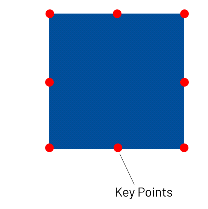
There are key point attachment points to all nominal lumber to help positioning parts during design as shown in image above. Simply turn on TriBall® and use the TAB key to toggle to the desired key point for proper location. Same key points of both ends of the extrude. |
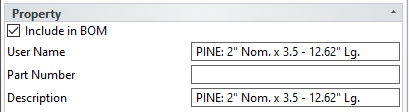
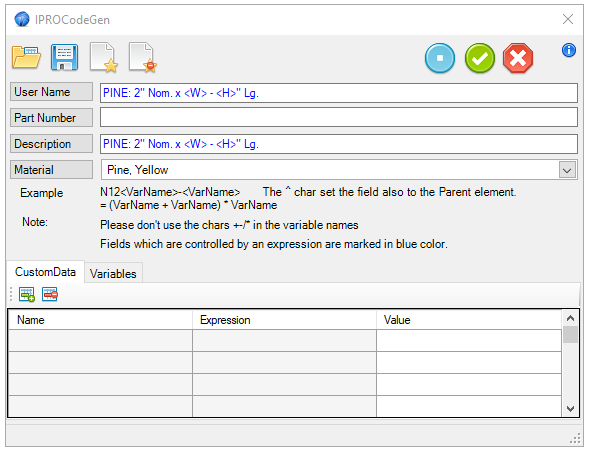
Each component has its own code generator file that will automatically update the Username and Description to include Nominal size, Material, Width, and Length of the part.
|
|
|
|
Design walls conceptual with this feature that maintains proper 2x4 dimensions. Use in conjection with "STUD_X2N" to add additional studs to the frame. Added was 1/8” snap increments to the Length and Height of this part. By default, as you drag the Sizebox handles they will resize the part in 0.125 increments. Video in folder. |
|
|
|
|
This feature adds 2x4 frames to your "Stud Frame_Part" feature. Simply drag to the centerpoint of a face and the stud will extrude to the next neaest stud.Video in folder. |
|
|
|
|
Standard Post Cap to be used with the 4x4 lumber. Created as a sheet metal part so you can edit as desired and unfold as well. |
Added Web hook added to product site. |
|
|
|
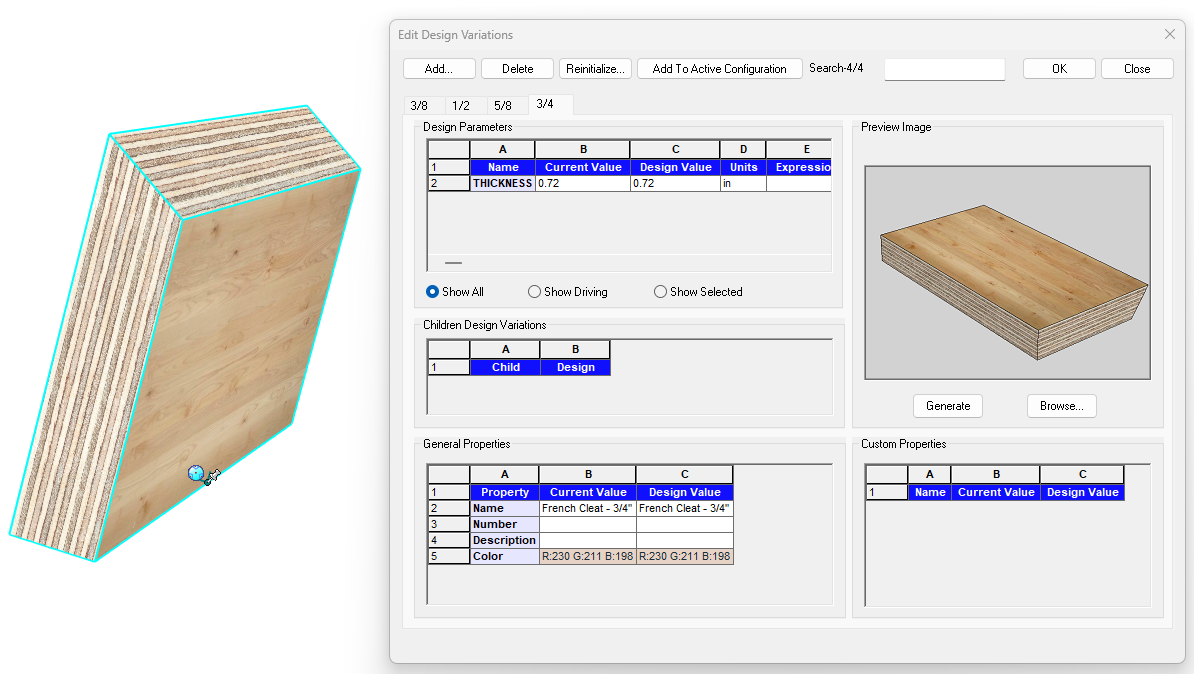
The French Cleat has been added as a variant model with nominal thicknesses; 3/8 (.34), 1/2" (.47), 3/4" (.72). You can adjust the length of the cleat via the H sizebox handle. You can edit the cut angle to suit as well. |
|
|
|
|
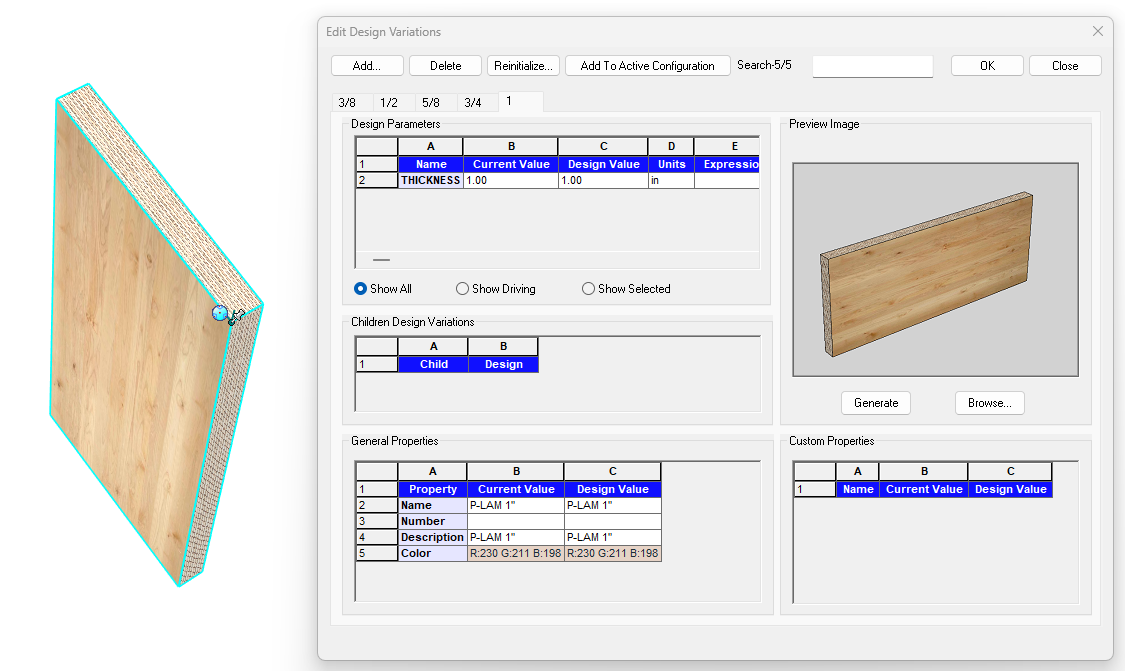
A variant model of common laminated plywood sheets. The sizes are set to the full scale to use for conceptualizing designs in round numbers. However you can edit to put the actual dimensions of the lumber if desired. |
|
|
|
|
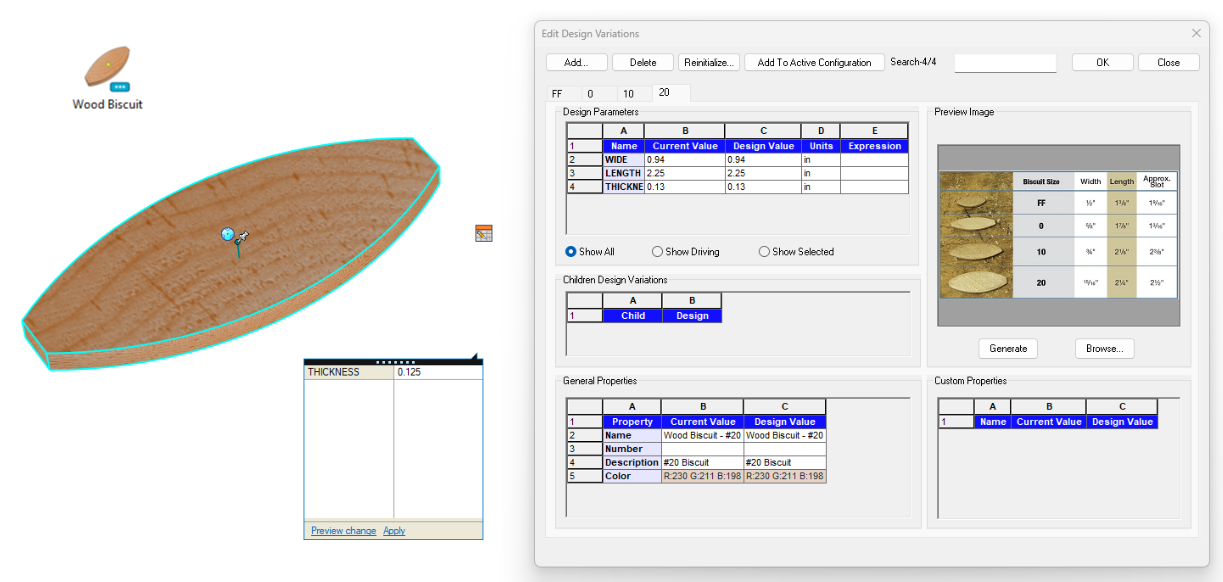
Wood Joining Biscuit commonly used in woodworking. A variant model in the following sizes: #FF, #0, #10, #20. Thickness set to .125" for all. Quick Parameter access to edit thickness value on-demand.
|
|
|
|
|
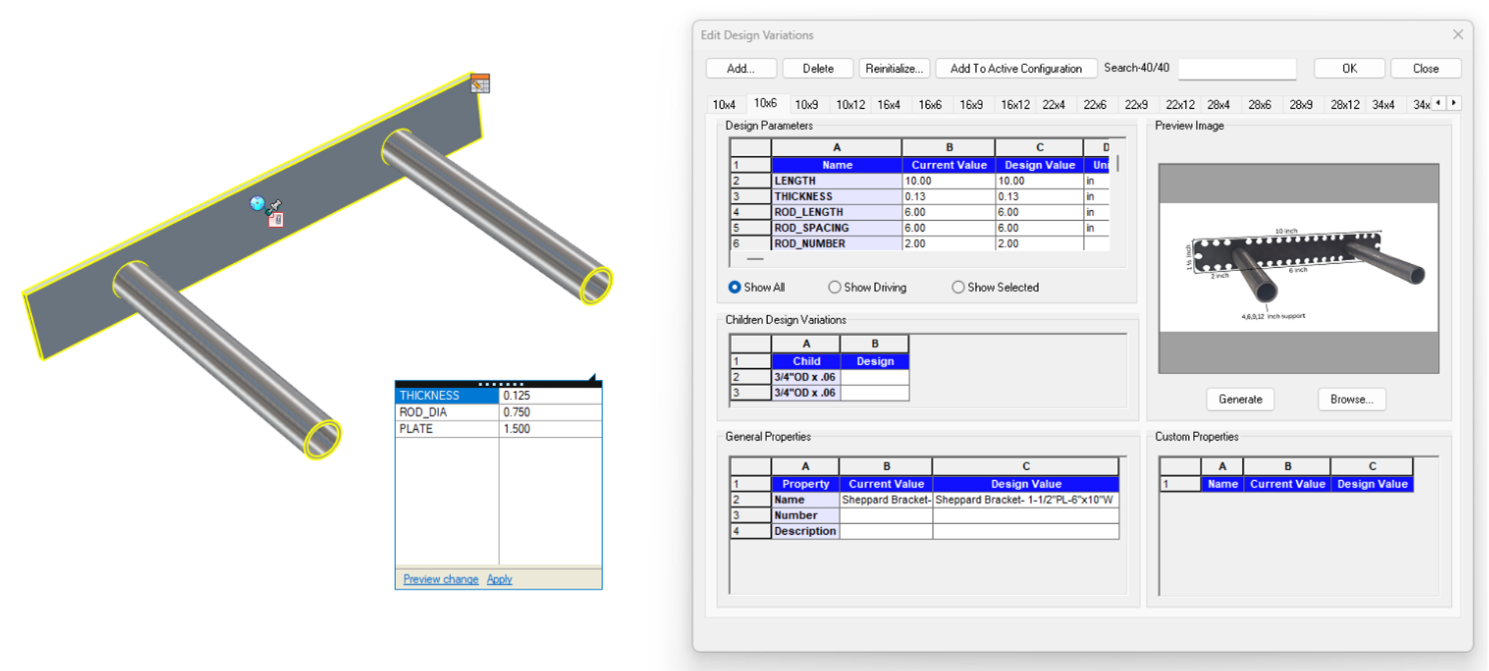
A Variant model of a Sheppard Bracket used in the installation of "Floating Shelves". This model has all the avialable variations for 1-1/2" plate SB from 10"W thru 82"W. Also included is a webhook to manufacturer website and Quick Parameters. The Quick Parameters allow you toedit the values on demand for:
|
|
|
|
|
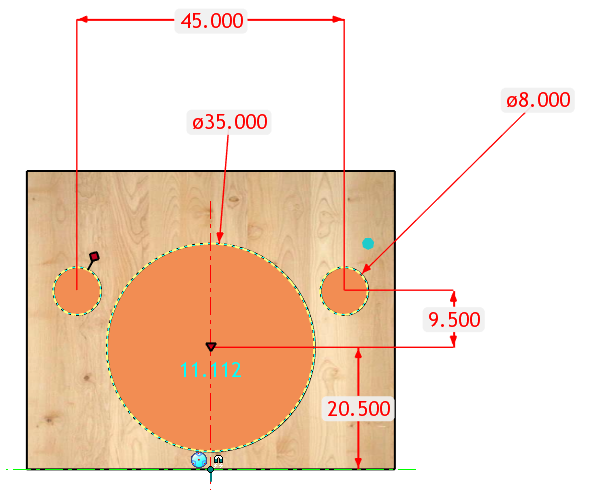
A dimension driven Hole setup for common European Hinge Holes. Edit the dimensions to suit your specific hinge specifications.
|
|
|
|
|
The Full Tenon has been overhauled to be more easy to use and more productive. The feature is not extremely to edit the sizing of the tenon as well control the offset cutting size for larger materials. |
|
|
|
|
We have replaced the design variations in previous release in exchange for Quick Parameters. The decesion was made that this works easier and allows for more customn value editing on demand. |
|
|
|
|
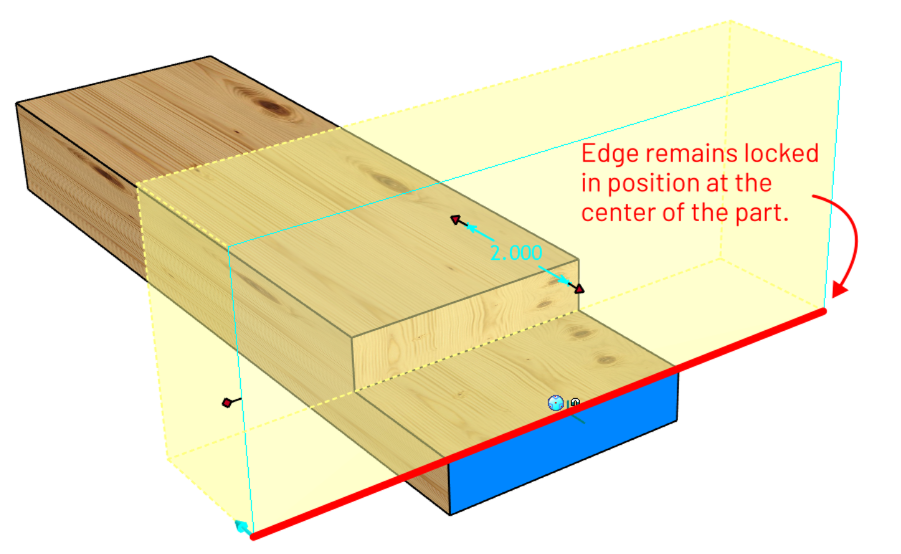
We updated the Halp Lap so the cutting plane always remains centered on the part. Also made the SHAPE handles on by default for faster editing.
|
|
|
|
|
|
|











Created with the Personal Edition of HelpNDoc: Upgrade your help files and your workflow with HelpNDoc's WinHelp HLP to CHM conversion