Icon Definitions
Magnacad, LLC has created its own Icons for the Magna-MODELS to hopefully provide productive clues as to what they are and what they do in a simple and clear manner. This section provides definitions for various imagery and symbols used on the icons.
There are various "symbols" that are placed under the icons as well. These symbols provide the user more feedback as to what the components behavior will do or what task it will do. Below will outline the icons symbolism and what is stands for.
|
Icon |
|
Description |
|
|
DIRECT DIMENSION DRIVEN |
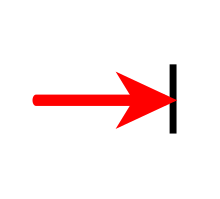
A double red arrow indicates that the component is dimensionally driven. The underlying cross-section has constraint dimensions that allow you to edit directly from the 3D environment. |
|
|
VARIANT FEATURE OR MODEL |
Indicates a componenet that has "Design Variations" assigned to it. When a component is dropped from a catalog, a pop-up dilaog will allow you to choose from a family of components to be used in your design. |
|
|
VARIANT FEATURE OR MODEL WITH QUICK PARAMETER |
Indicates a componenet that has "Design Variations" assigned to it. When a component is dropped from a catalog, a pop-up dilaog will allow you to choose from a family of components to be used in your design. Also once dropped and the component is selected a "Quick Parameter" icon appears that you can edit the parameters directly when selected. |
|
|
SMART eBEHAVIOR (SmartAssembly) |
Indicates that the component has SmartAssembly paired connection attached. |
|
|
PARAMETRIC |
This component is driven by parameters that have been applied. |
|
|
QUICK PARAMETER |
Indicates the component has the Quick Parameter pop-up implemented. |
|
|
CONSTRAINED |
This indicates that part(s) or have constraints assigned to them for predictable modifications. |
|
|
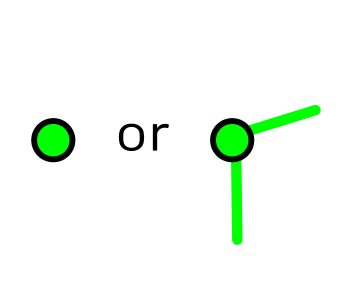
DROP POINT |
The green dot indicates the anchor point which is basically where to drop placement is. |
|
|
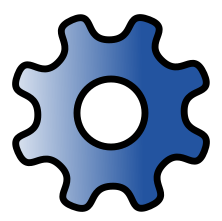
STRUCTURED PART |
The gear icon indicators the component has been created using "Strucutured Part Mode" and therefore utilizes the unique abilities provided in this mode. |
|
|
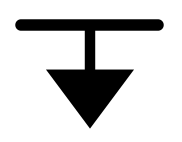
DOWNLOAD |
The "arrow" icon indicates that a web link is applied to bring you to the respective download page to install software. The color of the arrow can change. |



Created with the Personal Edition of HelpNDoc: Make CHM Help File Creation a Breeze with HelpNDoc