0-SUBTRACT
The SUBTRACT sub-group is a collection of Intellishapes that remove material from a model. Many of them are variant features utilizing design variations or dimensionally driven shapes.
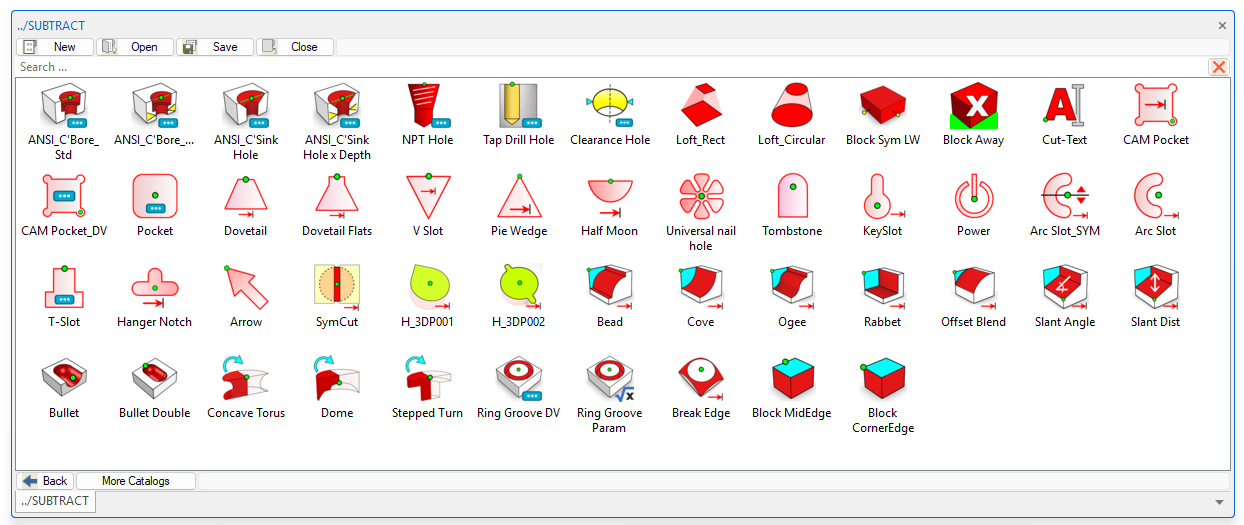
Extrude Profiles
|
|
CAM Pocket |
Subtractive shape aimed at supporting machining processes. This "CAM Pocket" shape provides a simply drag-n-drop shape with direct dimension driven modifiers for Width x Length and Radial corners. |
|
|
CAM Pocket DV |
VARIANT subtractive shape based on the "CAM Pocket" to allow immediate access to dimensional changes on the drop. |
|
|
Power |
A subtractive shape that respresents a Power button symbol. |
|
|
|
We set the Height sizebox handle to active so upon drop you can enter the depth of pocket immediately. Corner radii have design variations assigned that can edited as desired. |
|
|
Dovetail |
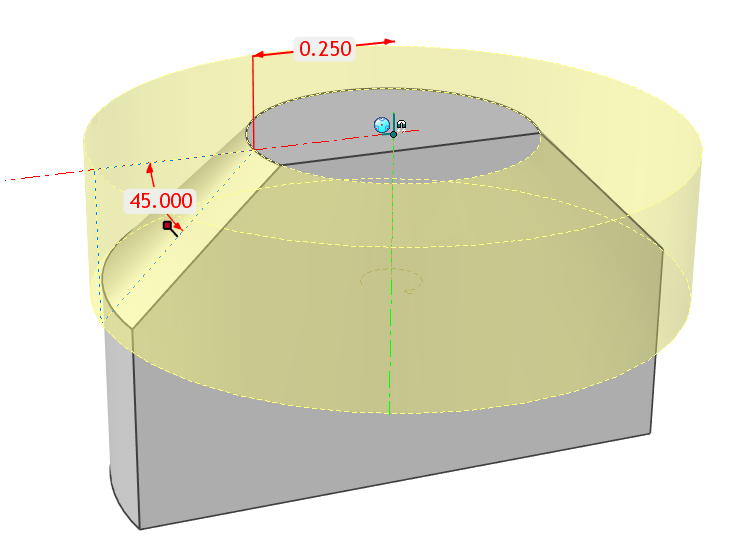
Dovetial subtractive shape that is Direct Dimension driven. Simply drag to an edge and the dovetail will extend thru the part. The default angle on is 45⁰ to fit the more common standards, of course it can be edited via direct dimension. |
|
|
Dovetail Flats |
Basically the same as "H Dovetail" shape that already existed on the Mag-Shapes catalog and added flat corners to the top. Direct Dimension driven. Simply drag to an edge and the dovetail will extend thru the part. |
|
|
V Slot |
Dimension driven Intellishape™ to help jig and fixture designers and machinists. A "V" shape feature developed to cut the entire part with width and angle editable dimensions. |
|
|
Pie Wedge |
New subtractive shape that creates a direct dimension driven “Pie” shape. By editing dimension angle, the shape updates symmetrically. Useful for plastic snap-fit applications. |
|
|
Half Moon |
Dimension driven Intellishape™ to help jig and fixture designers and machinists. A "Half Moon" shape feature developed to cut the entire part with width and height editable dimensions. |
|
|
Universal Nail Hole |
A subtractive shape that creates a hole shape to accomodate most nail sizes. |
|
|
Tombstone |
An subtractive shape which is basically half of a slot. Use shape handles to edit length and sizebox handles for width. |
|
|
KeySlot |
A subtractive shape that provides a keyhole shape for various screw sizes. Sizing can be controlled via direct dimensions or sizebox handles for conceptual use. |
|
|
Arc Slot |
The Arc Slot shape has been created to add curved slots into your design. |
|
|
Arc Slot_SYM |
Added symmetrical constraining to the "Arc Slot" feature. This feature is also handle and dimension driven. You can pull on either shape handle on ends for symmetry editing. |
|
|
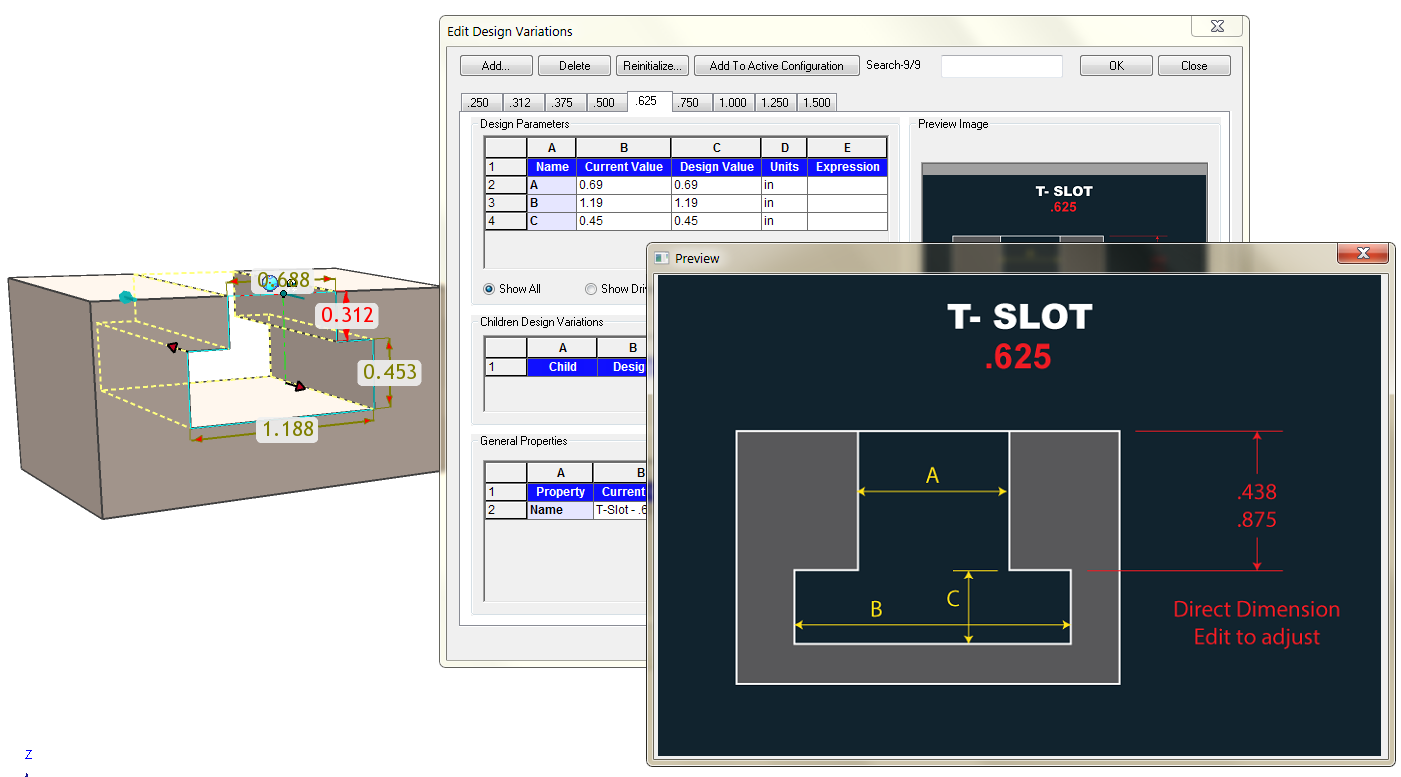
T-Slot |
A varaint subtractive shape sized to common T-Slot dimensions. The "throat" depth can be edited via direct dimension.
|
|
|
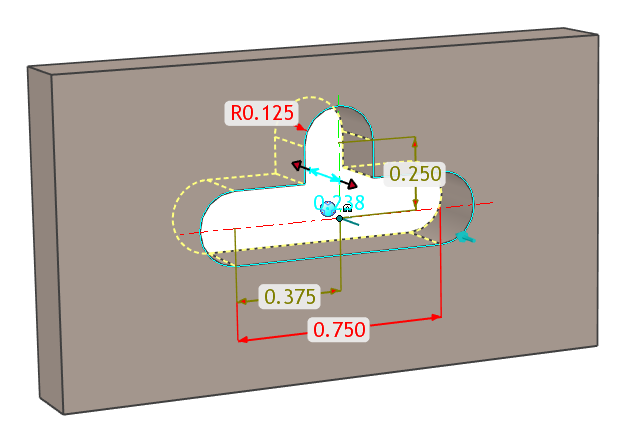
Hanger Notch |
A substractive feature of a common punch shape used on packaged items to hang on a peg. This is a direct dimension driven Intellishape. So edit the profile dimensions to update as required. This can be used on solid models as well as sheet metal models.
|
|
|
Arrow |
A subtractive shape that resembles an Arrow |
|
|
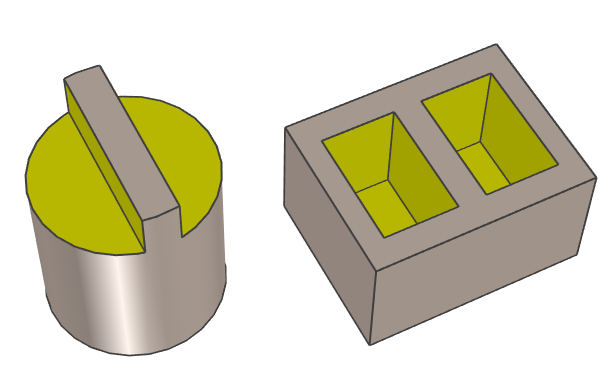
SymCut |
A subtractive Intellishape that allows you to cut a part with symmetrical rectangles. Ideal for adding flats to a cylinder or dual pockets. The uses are endless. Examples below.
|
|
|
H_3DP001 |
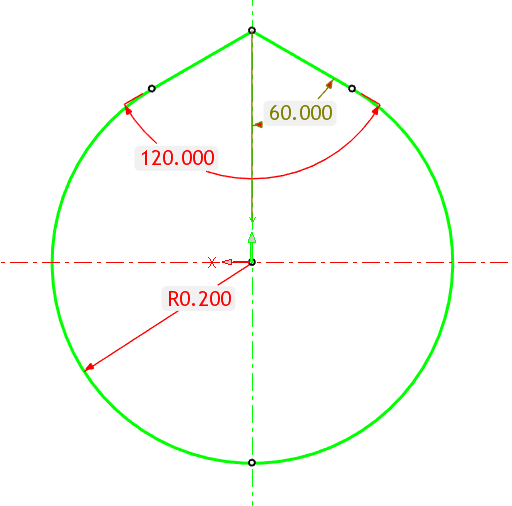
A "beaked" hole designed specifically for 3D printing. Using this hole type allows for holes that require a tighter tolerance for rods and shafts. The "beak" on top eliminates the flattening of the hole during the 3D printing process (FDM/FFF) is printing tin the vertical axis. This Intellishape can be edited via direct dimension editing for the "beak" angle and hole diameter.
|
|
|
H_3DP002 |
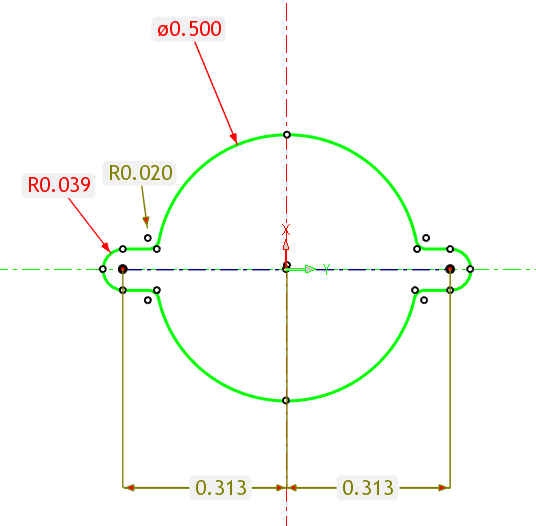
A "slotted" hole designed specifically for 3D printing. Using this hole type allows for holes that require a tighter tolerance for rods and shafts. The "slot" provides flexibility so as to provide a close fit onto a rod or shaft. This Intellishape can be edited via direct dimension editing for the "beak" angle and hole diameter. Editable Values:
|







Holes
|
|
ANSI_C'Bore_Std |
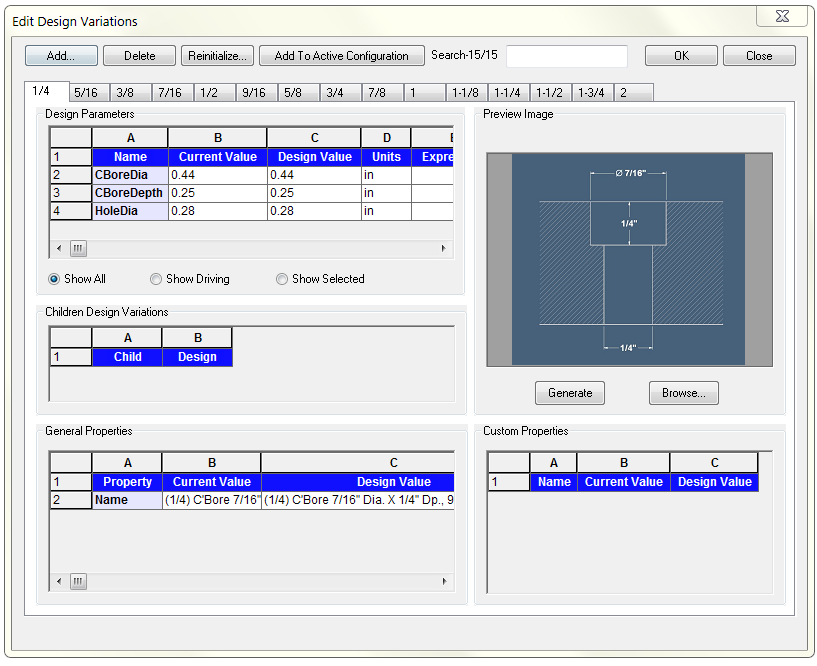
A subtractive variant shape of a Counter bored hole to ANSI standards. You can use design variations to change the hole size at will. Hole sizes range from 1/4" through 2"
|
|
|
ANSI_C'Bore_Tight |
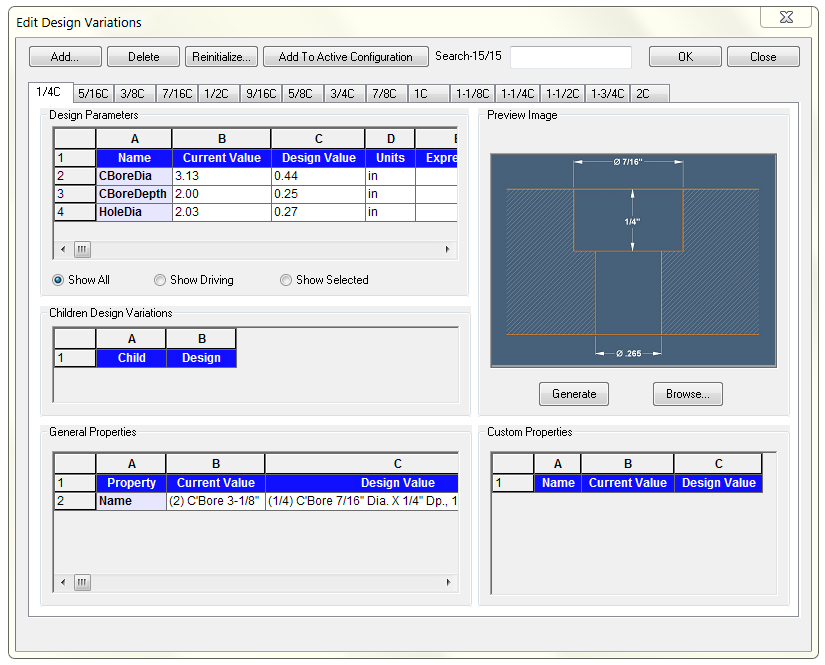
A subtractive variant shape of a Counter bored hole to ANSI close tolerance standards. You can use design variations to change the hole size at will. Hole sizes range from 1/4" through 2"
|
|
|
ANSI_C'Sink Hole |
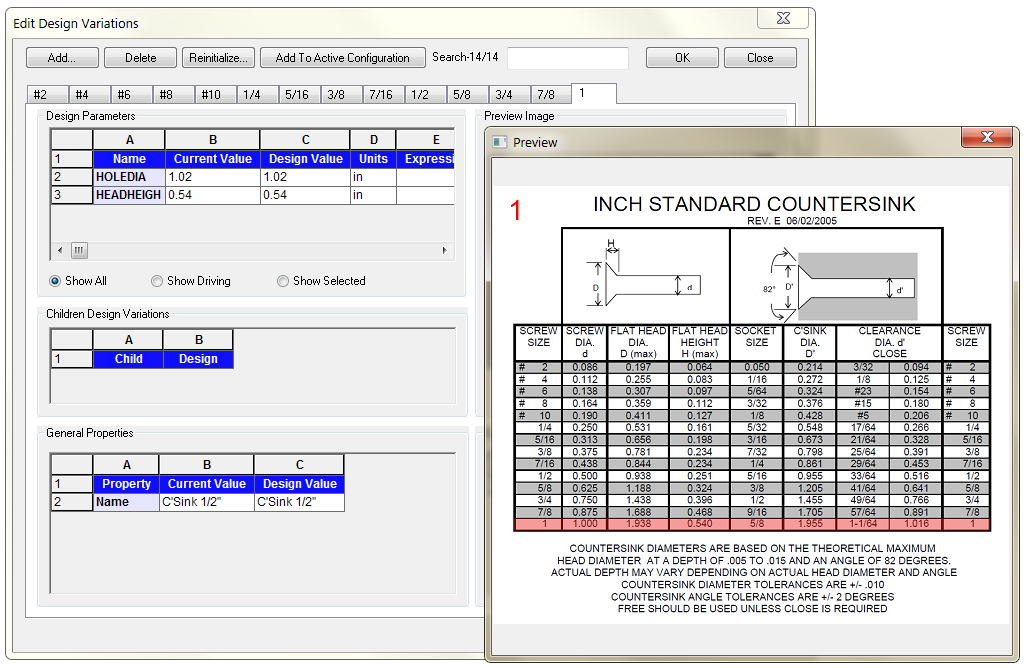
A subtractive variant shape of a Countersunk hole to ANSI standards. You can use design variations to change the hole size at will. Hole sizes range from #2 thru 1".
|
|
|
ANSI_C'Sink Hole x Depth |
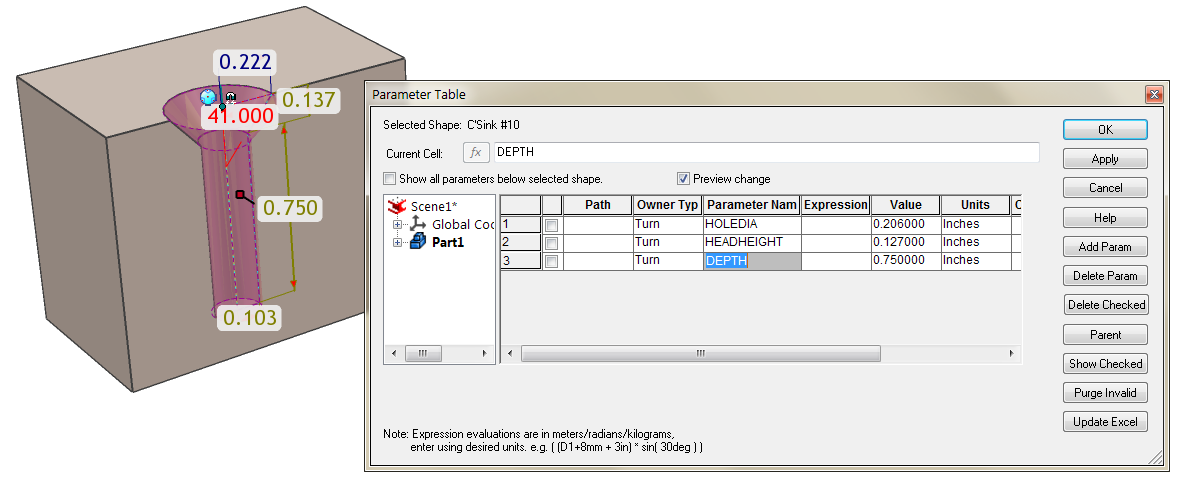
A subtractive variant shape of a Countersunk hole to ANSI standards. You can use design variations to change the hole size at will. Hole sizes range from #2 thru 1". The hole depth can be modified via a "DEPTH" parameter.
|
|
|
NPT Hole |
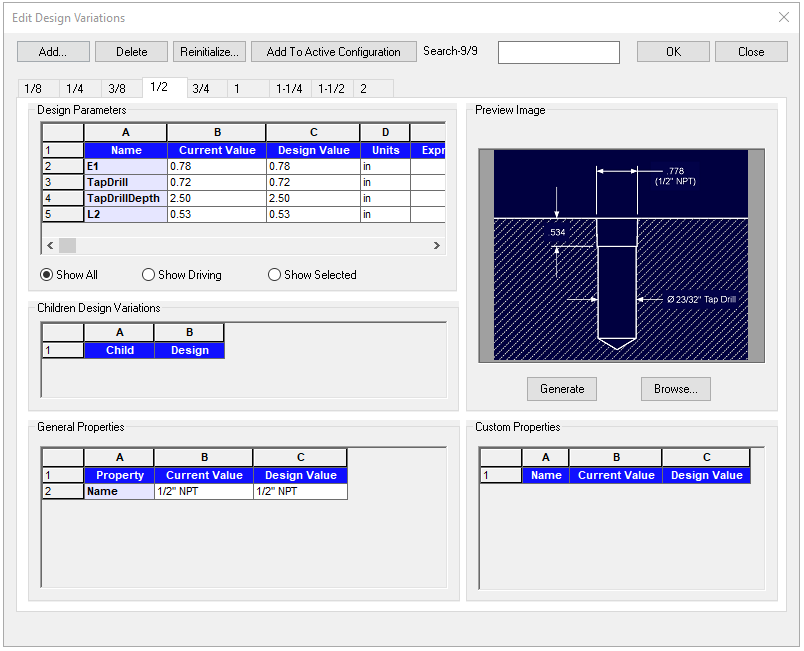
National Pipe Thread (NPT) variant feature with pipe sixes from 1/1 thru 2". You can edit as desired.
|
|
|
Tap Drill Hole |
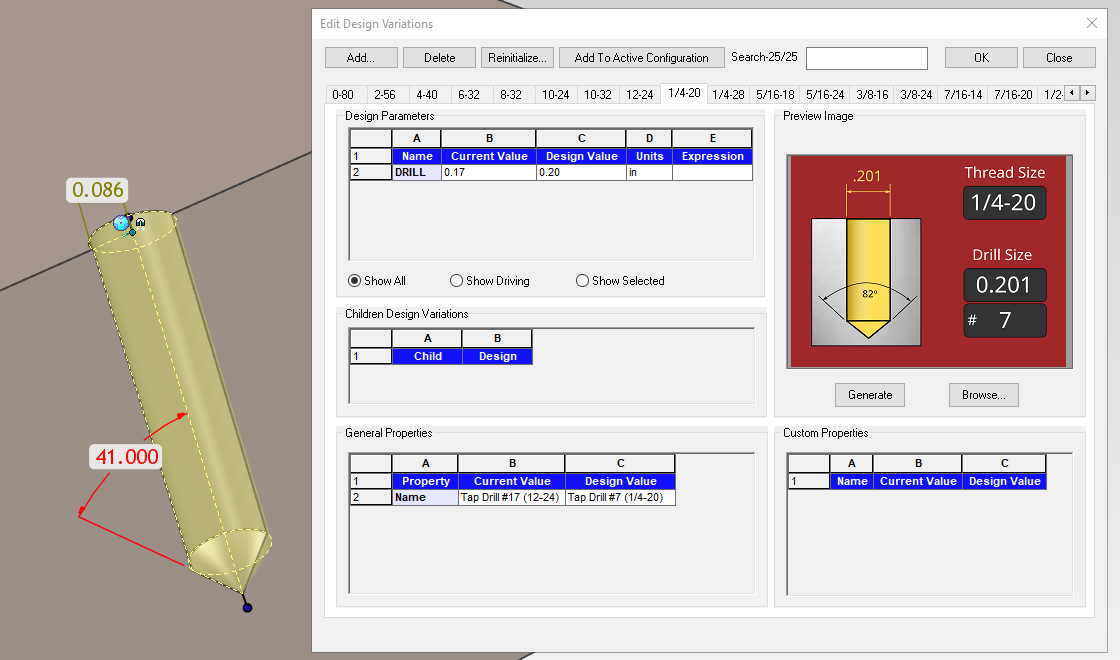
A subtractive variant feature that generates a hole with 82 degree tip to the specified tap drill size for a selected thread. Tap Drill holes range from 0-80 to 1-12 threads in the most common sizes. You can pull the height handle to resize the depth of the hole to the very tip of hole.
|
|
|
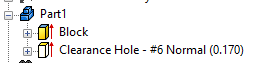
Clearance Hole |
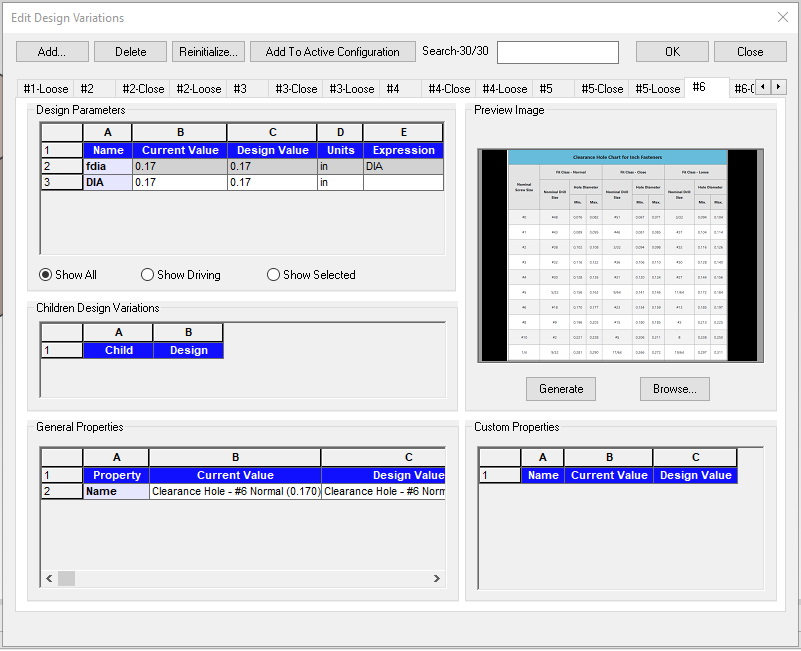
A subtractive variant hole of common clearance hole sizes. Normal fit, Close fit and Loose fit clearances are available from sizes #0 thru 1/4". The user name callouts the minimum hole sizes for each fit. You can adjust according the the preview window (click on preview window it to enlarge) if desired. Or use the new weblink "Clearance Hole Chart" for the entire chart.
|








Edge Profiles
|
|
Bead |
"Router” type bit Intellishapes. A subtraction feature can be used on edges similar to the “H Offset Blend” Intellishape. Simply drag to a vertex and rotate if needed |
|
|
Cove |
"Router” type bit Intellishapes. A subtraction feature can be used on edges similar to the “H Offset Blend” Intellishape. Simply drag to a vertex and rotate if needed |
|
|
Ogee |
"Router” type bit Intellishapes. A subtraction feature can be used on edges similar to the “H Offset Blend” Intellishape. Simply drag to a vertex and rotate if needed |
|
|
Rabbet |
"Router” type bit Intellishapes. A subtraction feature can be used on edges similar to the “H Offset Blend” Intellishape. Simply drag to a vertex and rotate if needed |
|
|
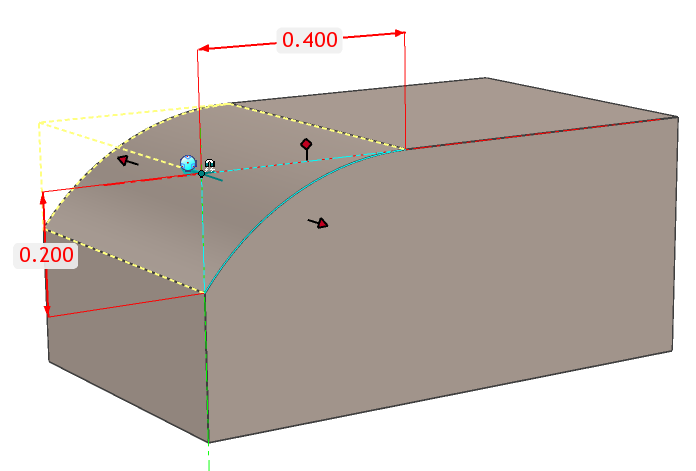
Offset Blend |
A subtractive shape to apply a irregular offset blend to straight edges only. Shape is dragged to a vertex. Sizes can be edited via direct dimensions. Use TriBall to re-orient blend if needed.
|
|
|
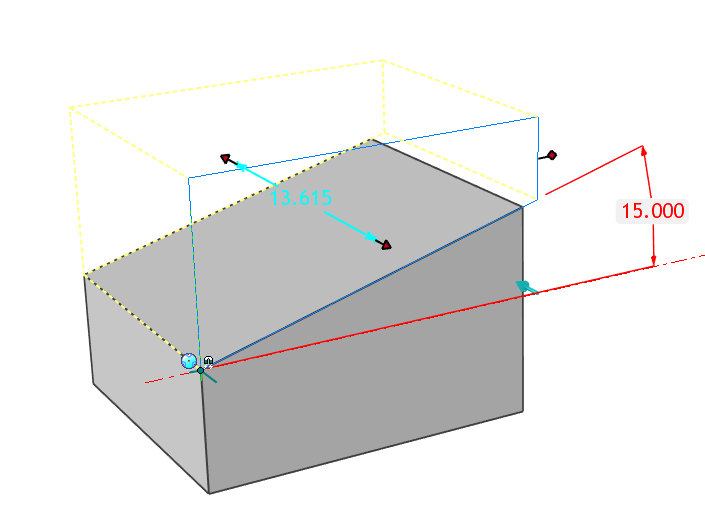
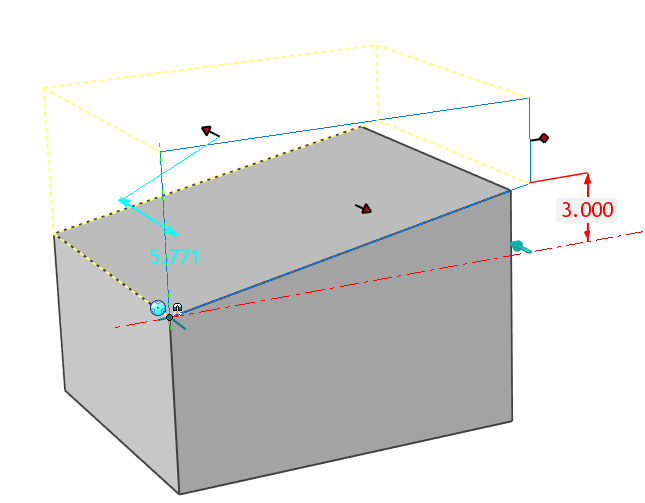
Slant Angle |
An angular subtractive shape that allows you to edit angle from dropped anchor point using direct dimension. TriBall active on Drop to quickly place the shape to a point where the slant will originate. Extrude is set to "Thru Part" by default
|
|
|
Slant Dist |
An angular subtractive shape that allows you to edit specific distance at opposite end of dropped anchor point using direct dimension. TriBall active on Drop to quickly place the shape to a point where the slant will originate. Extrude is set to "Thru Part" by default
|




Spin Profiles
|
|
Stepped Turn |
A subtractive IntelliShape™ that mimics a Counterbore type shape but allowing full handle dragging on profile handles for freeform design. |
|
|
Concave Torus |
This is similar to the standard IronCAD Torus but the cross-section geometry is a reversed semi-circle versus circular. |
|
|
Dome |
A subtractive shape that creates a circlular domed cap to cylinders. The cross-section geometry can be edited to adjust for irregular dome dimensions. |


Advanced
|
|
Loft_Circular |
A lofted subtractive shape with circular start and end cross-sections. Ideal to transition for transitional shapes. |
|
|
Loft-Rectangular |
A lofted subtractive shape with rectangular start and end cross-sections. Ideal to transition for transitional shapes. |
|
|
Block Sym LW |
A subtractive BLOCK shape that is set to be symmetrical about its Length and Width handles |
|
|
Block Away |
This shape simply allows you to remove geometry off of the dragged on face for easier cleanup |
|
|
Cut-Text |
A subtractive IntelliShape™ that allows you to remove text from any model using the standard Text tool when editing the Cross-section. |


|
|
Break Edge |
A subtractive spin shape that acts a chamfer to break edges on cylindrical parts. A direct dimension driven feature that allows the ID of spin and the chnafer angle to be edited.
|
|
|
Block MidEdge |
This subtractive shape is ideal to cut parts in half since the anchor is located directly on the edge of the block. |
|
|
Block CornerEdge |
This substractive shape is ideal to cut parts inoti quadrants or for notching blocks. Use your imagination. The anchor is located directly on the corner of the block. |
|
|
Bullet |
An subtractive shape. The Bullet shape is basically a capped cylinder that will automatically maintain the full radius cap when diameter is resized |
|
|
Bullet Double |
A subtractive shape. The H Double Bullet shape is basically a capped cylinder at both ends that will automatically maintain the full radius cap when diameter is resized. |
|
|
Ring Groove DV |
A ring groove variant model that has several design variations upon drop to suit your needs. This can be customized to add more design variations as desired. |
|
|
Ring Groove Param |
Enhanced "Ring Groove" hole Intellishape to be able to directly enter the values for the ID, OD, and Depth of the ring upon drop. This is accomplished through the use of Design Variations and therefore can be edited or modified to suit. |



Created with the Personal Edition of HelpNDoc: Maximize Your Documentation Efficiency with a Help Authoring Tool